Graphics Improvements in Update 7.0
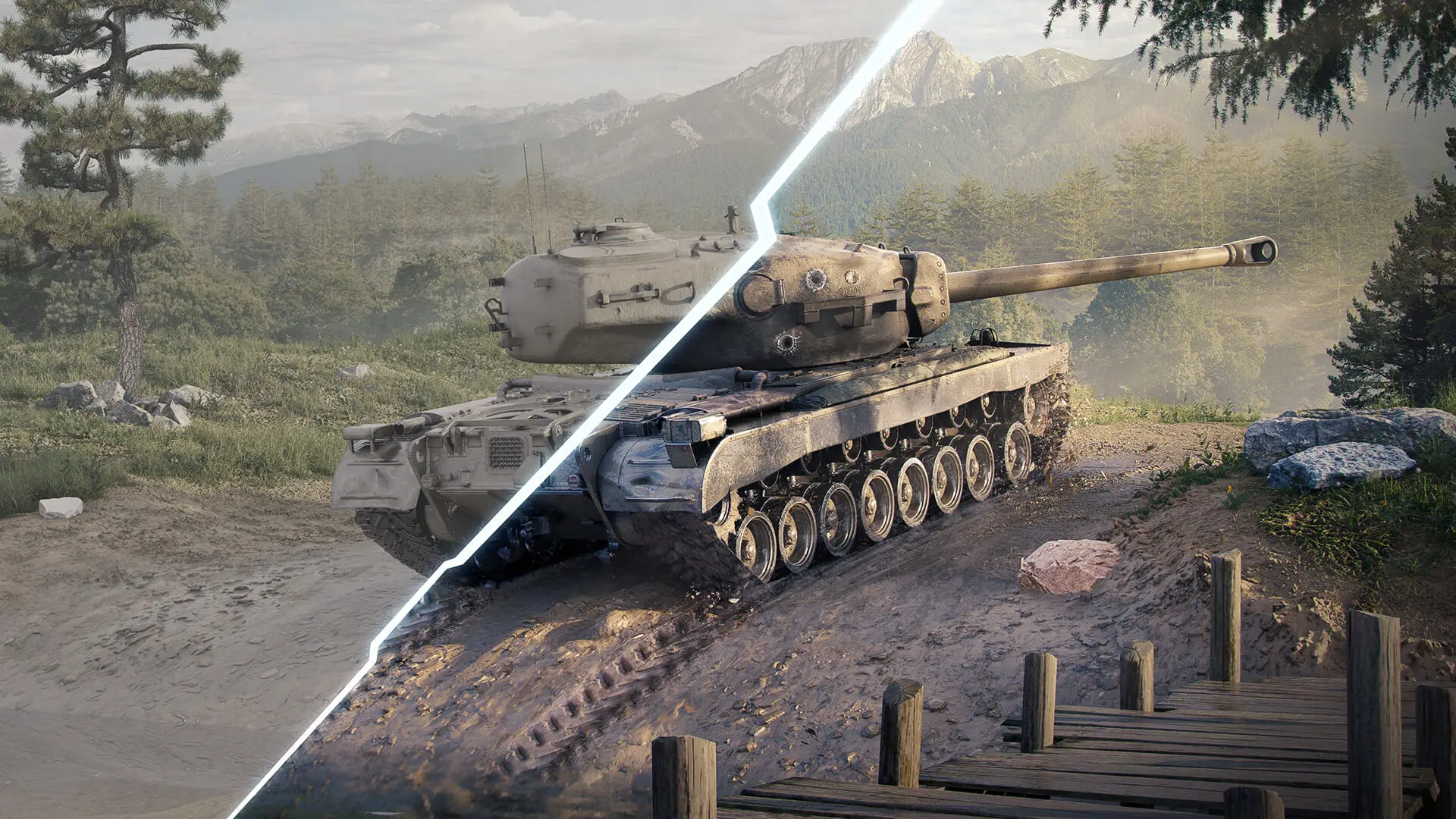
Update 7.0 will introduce several very significant improvements to graphics. Battles will look more realistic, your gaming experience will be more vivid, and you'll be better immersed in the combat atmosphere.
Beauty is a powerful thing! We did our best to make these improvements available for the widest range of devices possible. However, improved graphics inevitably affects performance, so some visual effects will not be available for weak devices. Let's dig deeper into the improvements being introduced into the game and their system requirements.
Gun Recoil
A while ago, shells started to leave a trace of smoke. But that's not enough to make firing realistic because a tank gun is never rigidly stuck to a turret. It always recoils! For a long time, we've been planning to add the gun recoil effect to the game. We just needed to find a way to make it available for all devices. And we did it! Now even "aged" devices will allow you to watch the gun recoil then return to the firing position.
System requirements
- Available for all devices.
- No impact on performance.
- Enabled by default.
Shell Hit Marks
First off, shell hit marks are beautiful. Second off, they're useful. Now you can clearly see why the enemy didn't take any damage or, for example, which shell type punched through your tank's armor. And finally, it's a pure pleasure to leave your mark on the enemy. There's something very soothing about beholding its riddled sides. It somehow even resembles an avant-garde painting.
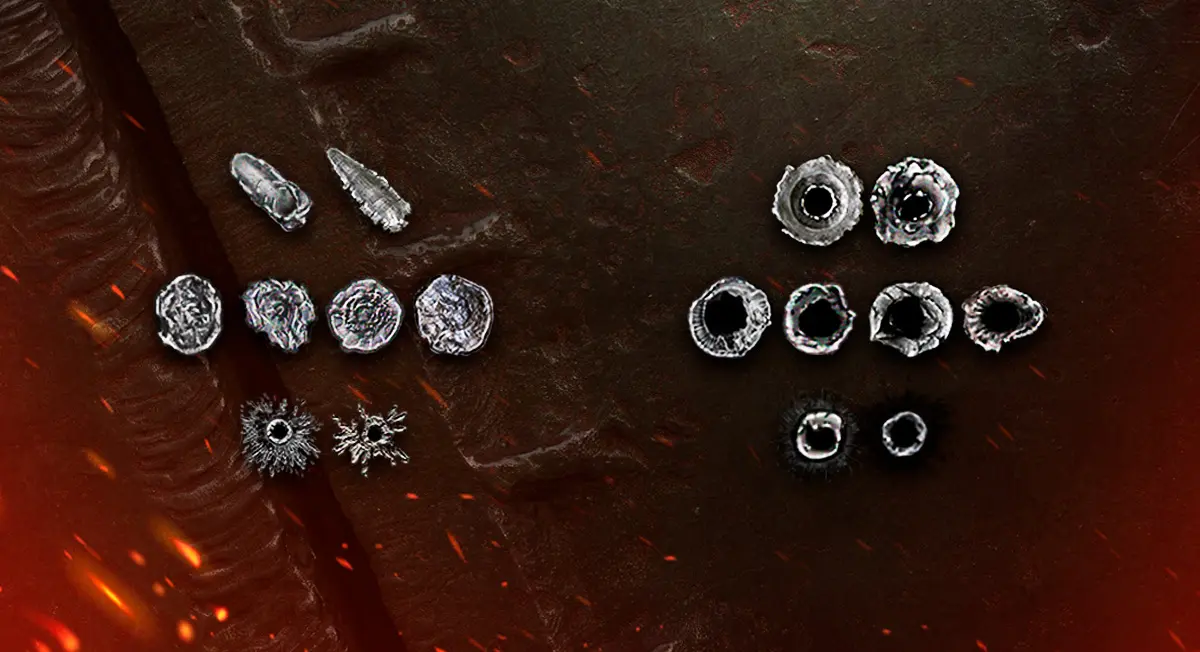
Shell hit marks will look different depending on the caliber and type of shell. There are four sizes of hit marks that correspond to small (20–30 mm), medium (37–57 mm), main (75–107 mm), and large (102–183 mm) calibers. And there are two images each for armor-piercing, armor-piercing composite rigid, high-explosive anti-tank, and high-explosive shells (including armor-piercing high-explosive shells). Non-penetrating hits and ricochets will also leave marks. Their look doesn't depend on the shell type.
We optimized the display range of shell hit marks so that they can be distinguished over long distances without affecting performance. In Arcade mode, hit marks begin to fade at 100 meters and completely disappear after 105 meters. In Sniper mode, the distance is 400 and 420 meters, respectively. If the damage was caused from a longer distance, the hit mark will become visible as you get closer to the tank.
System requirements
| Minimum requirements (steady performance is not guaranteed) | Recommended requirements for comfortable gameplay | |
|---|---|---|
| iOS | iPhone 6, iPad Air 2, iPad mini 4, or newer | |
| Android | GPU that supports OpenGL ES 3.x and the GL_ARM_shader_framebuffer_fetch_depth extension, starting from Adreno 430 or from Mali-T and Mali-G series. PowerVR GPU is not supported on Android. | Enabling this option is not recommended for devices with Adreno 506, Mali-T628, Mali-T720, Mali-T760 MP6, Mali-T880 MP4, or a weaker GPU. |
| Windows | A graphics card that supports DirectX 11 and has 512 MB VRAM, except for outdated integrated cards (for example, Intel HD Graphics 3000 and some AMD Radeon/Vega-based graphics accelerators for laptops). | A graphics card equivalent to Intel HD Graphics 520, AMD Radeon R5 M230, or one with higher performance. |
| macOS | A graphics card that supports API Metal. | Intel graphics cards of the Iris Plus (6200 or later) and UHD Graphics 630 series; AMD discrete graphics cards. |
Tank Track Traces
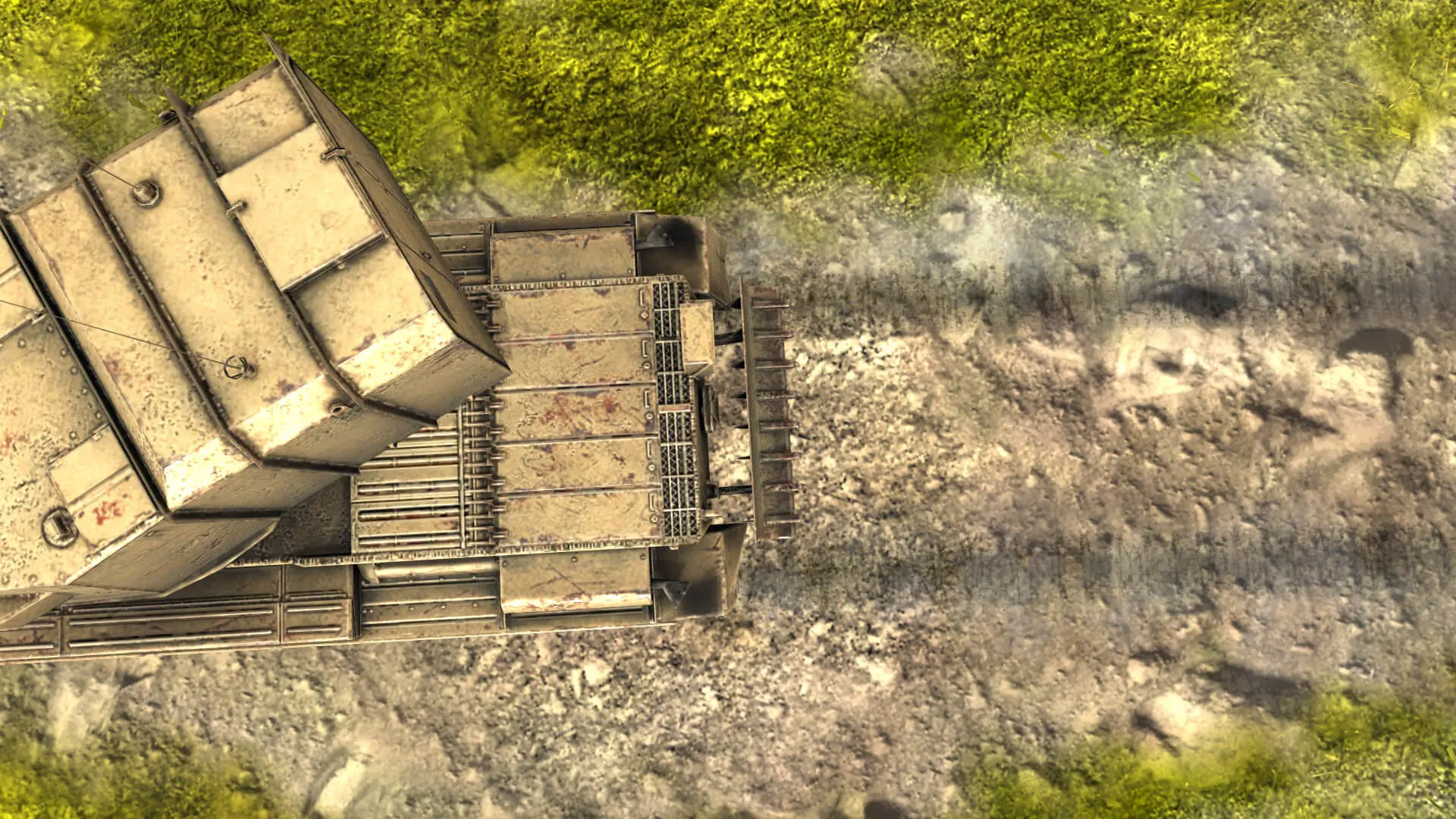
Battle scenes look more realistic when each vehicle leaves behind tracks of where they went. In order to keep unspotted tanks untraceable and maintain good performance, tank track traces will gradually vanish.
System requirements
| Minimum requirements (steady performance is not guaranteed) | Recommended requirements for comfortable gameplay | |
|---|---|---|
| iOS | iPhone 6s, iPad Air 2, iPad mini 5, or newer | |
| Android | GPU that supports OpenGL ES 3.x and the GL_ARM_shader_framebuffer_fetch_depth extension, starting from Adreno 430 or from Mali-T and Mali-G series. PowerVR GPU is not supported on Android. | To play at a stable 30 FPS: GPU Adreno 509 (Snapdragon 636), Mali-G51 / Mali-G72 MP3 / Mali-G71 MP8 (Kirin 710 / Exynos 9610 / Kirin 960), or one with higher performance. To play at a stable 60 FPS: GPU Adreno 512 (Snapdragon 660), Mali-G72 MP12 / Mali-G71 MP20 (Kirin 970 / Exynos 8895 Octa), or one with higher performance. |
| Windows | A graphics card that supports DirectX 11 and has 512 MB VRAM, except for outdated integrated cards (for example, Intel HD Graphics 3000 and some AMD Radeon/Vega-based graphics accelerators for laptops). | A graphics card equivalent to Intel HD Graphics 520, AMD Radeon R5 M230, or one with higher performance. |
| macOS | A graphics card that supports API Metal. | Intel graphics cards of the Iris Plus (6200 or later) and UHD Graphics 630 series; AMD discrete graphics cards. |
Dynamic Shadows
You can't really tell what exactly has changed on all maps unless you know about this graphics improvement. But you'll definitely feel how the environment became more realistic, beautiful, and immersive. If you enable this option, you'll find that now all objects cast shadows that move in the right direction and do not contradict each other in terms of physics. In three words, it's sheer beauty! This, by the way, also fixes the bug where shadows cast by a tank crossing the bridge were displayed on its underside.
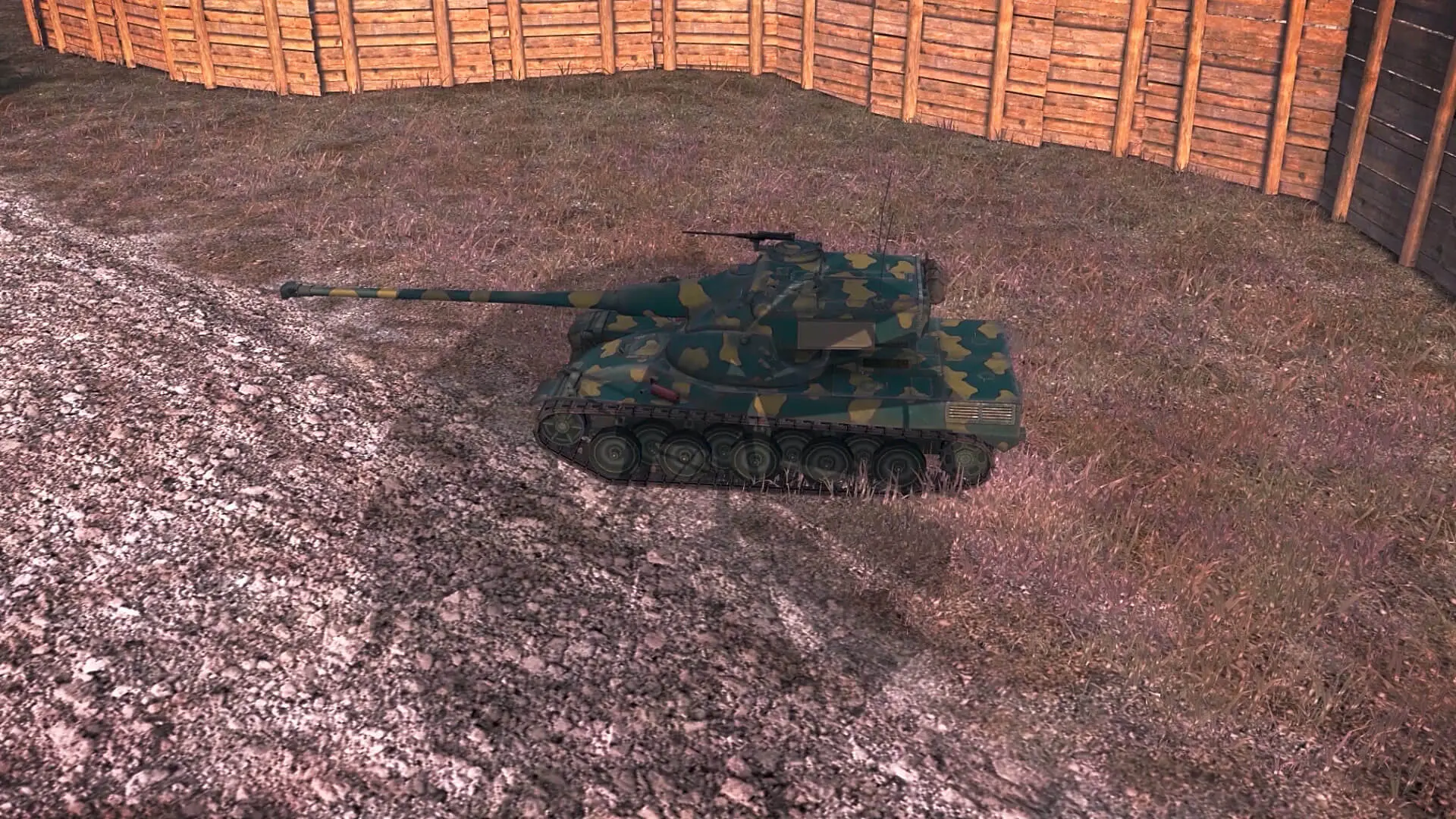
It's very important to note that this feature will be appreciated by aesthetes and the lucky owners of the latest flagship devices. Dynamic shadows are very resource-heavy. Therefore, you should study the system requirements and potentially disable another graphics option in favor of this one.
System requirements
| Minimum requirements (steady performance is not guaranteed) | Recommended requirements for comfortable gameplay | |
|---|---|---|
| iOS | iPhone 6s, iPad Air 2, iPad mini 5, or newer. We recommend using the basic quality of dynamic shadows (Medium option) for iPhone 6s, iPad Air 2, 5th generation iPad (2017), and iPad Pro 10.5" with 120 FPS mode enabled. | |
| Android | GPU that supports OpenGL ES 3.x, starting from Adreno 430 or from Mali-T and Mali-G series. PowerVR GPU is not supported on Android. The frame rate will be low and/or unstable for devices that are close to the minimum requirements. | To play at 30 FPS and with basic quality (Medium option): GPU equivalent to Adreno 512 (Snapdragon 660), Mali-G71 MP20 / Mali-G72 MP18 (Exynos 8895 Octa, Exynos 9810). To play at 60 FPS and with enhanced quality (High option): only the latest flagship GPUs such as Adreno 540/630/640 (Snapdragon 835/845/855), Mali-G76 MP12 (Exynos 9820/9825), or newer. |
| Windows | A graphics card that supports DirectX 9.3 and has 512 MB VRAM. | A graphics card that supports DirectX 11 and is equivalent to Intel HD Graphics 520, AMD Radeon R5 M230, or one with higher performance. |
| macOS | A graphics card that supports API Metal. | Intel graphics cards of the Iris Plus (6200 or later) and UHD Graphics 630 series; AMD discrete graphics cards. |
Soft Flame and Dust Effects (Android, Windows, Mac)
Graphics improvements to flames, smoke, and dust clouds are already available for iOS users. Now they will appear for all other platforms.
Smooth Water Line
Looking thoughtfully across the sea with your tracks dipped in the water is not an option. We don't have time for that in battle. Even so, it feels good to drive across water and note how natural it looks.
Directed Destruction of Objects
Another unobvious improvement that makes the game more realistic. Scrap, debris, and fragments of destroyed objects now scatter in the direction of movement. And the dust that rises along the way looks more natural.
System requirements
- Available for all devices.
- No impact on performance.
- Enabled by default.
Update 7.0 will take the game to the next level of realism. It will be more noticeable on some devices and less on others. But no device will remain unimproved.
If you can't find some option in your device's settings, that means it is either not supported by your hardware or it is disabled because it will negatively impact performance, regardless of other settings.
If your device doesn't have the top configuration, you can rank effects in order of priority. Remember that dynamic shadows have the greatest impact on performance while tank track traces are the least demanding, and the other effects affect only the FPS rate, or even less. Don't rush to try out the settings in a real battle. Instead, enter a training battle to see how it works for your device.
Enjoy the beautiful game!