
Operation Onslaught

The glorious day has come, commander!
The roar of the engines belonging to millions of tanks will tear through the air while the sound of thousands of battles echoes around the world. Operation Onslaught will be forever etched into your memory as it will bring you honor, glory, and an indescribable amount of rewards: resources, rare items, and Collector vehicles. All missions are set, so it's time to start completing them for rewards!

Untold Riches!
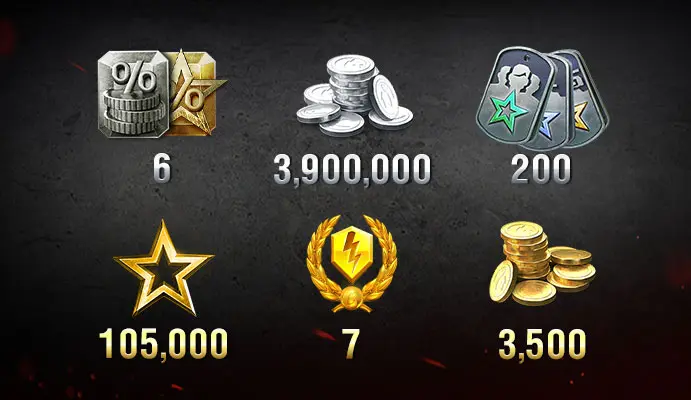
The higher the level of your Pass, the bigger your fortunes and the fuller your Storage. For completing all levels, you can get up to:
Collector Tanks!
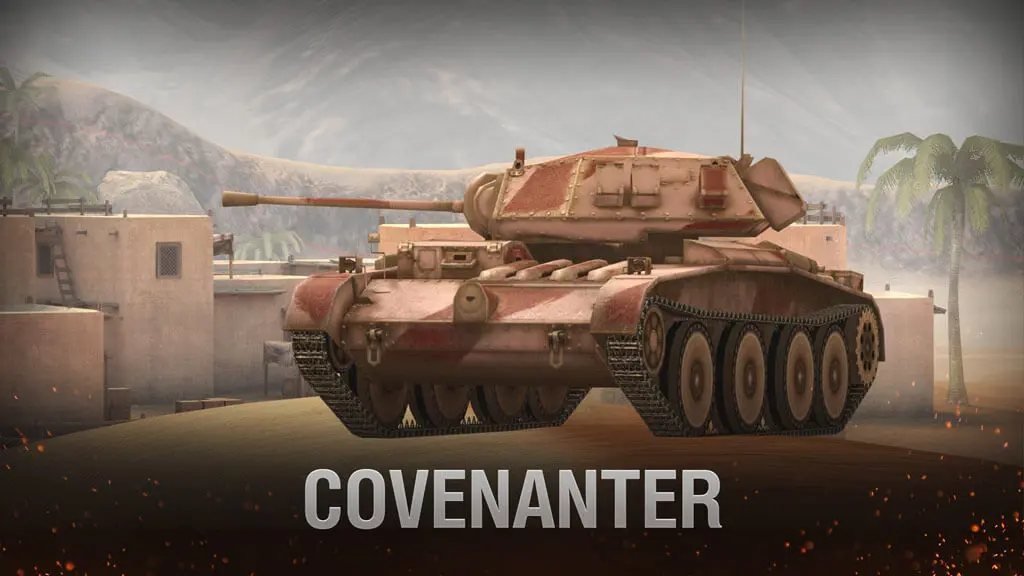
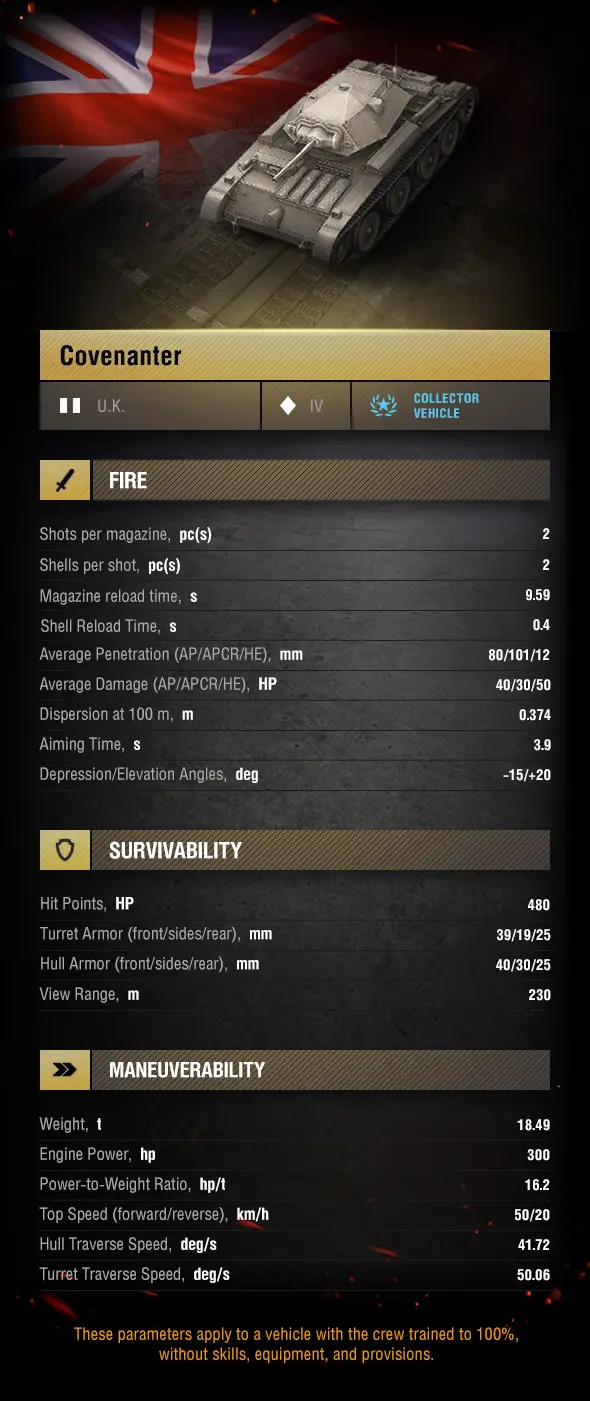
At Level 1 of the Operation,  Premium Pass owners will get IV Covenanter, a mobile light tank with impressive firepower.
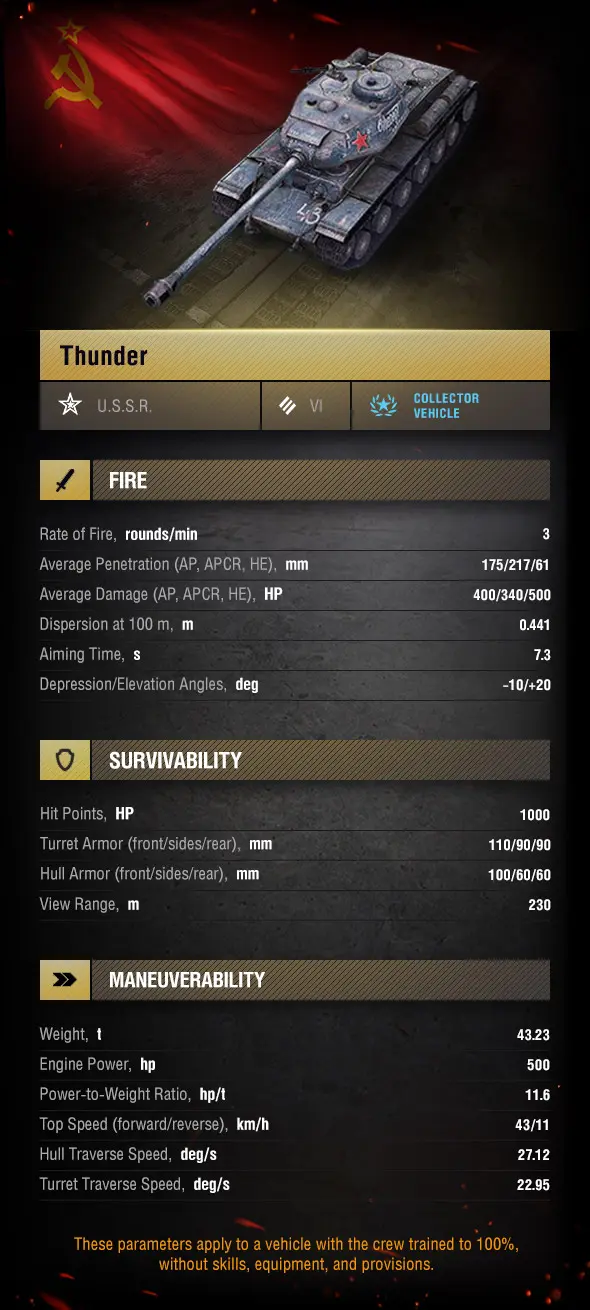
At level 35, you'll get VI Thunder. It's a special version of the KV-1S with a powerful 122 mm gun and reinforced armor, but, at the same time, decreased mobility. The main attraction of this tank is its appearance. Nothing in the world could be more beautiful than the Thunder at full speed. The star on the side of its turret shines so brightly that it immediately inspires you to glorious victories.

Operation Onslaught Profile Background
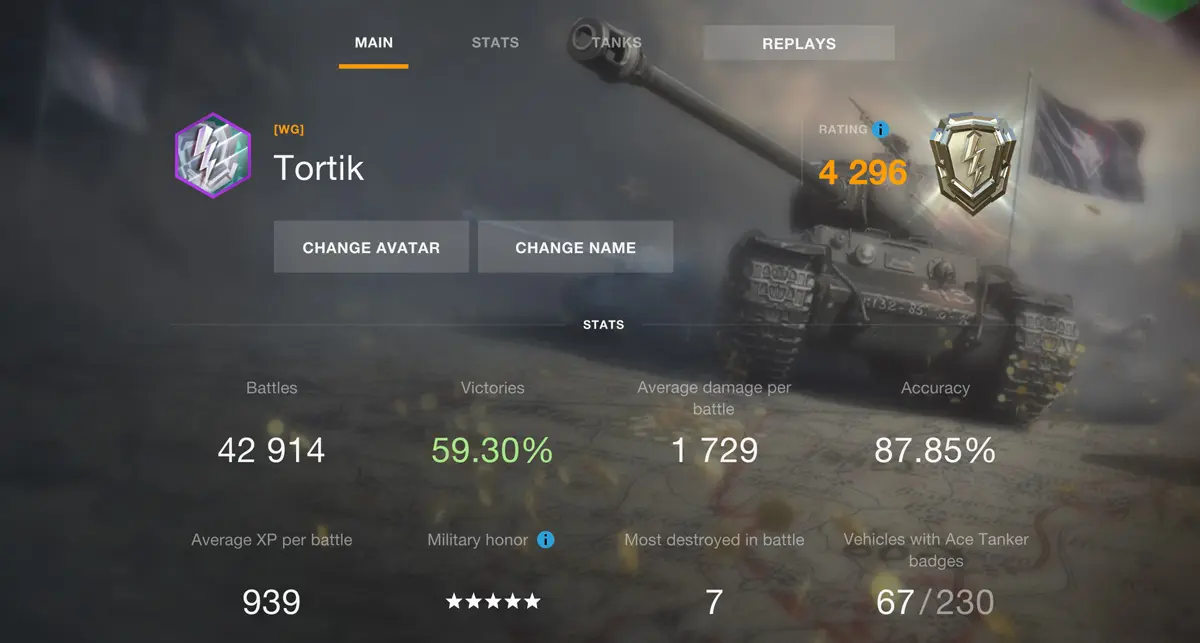
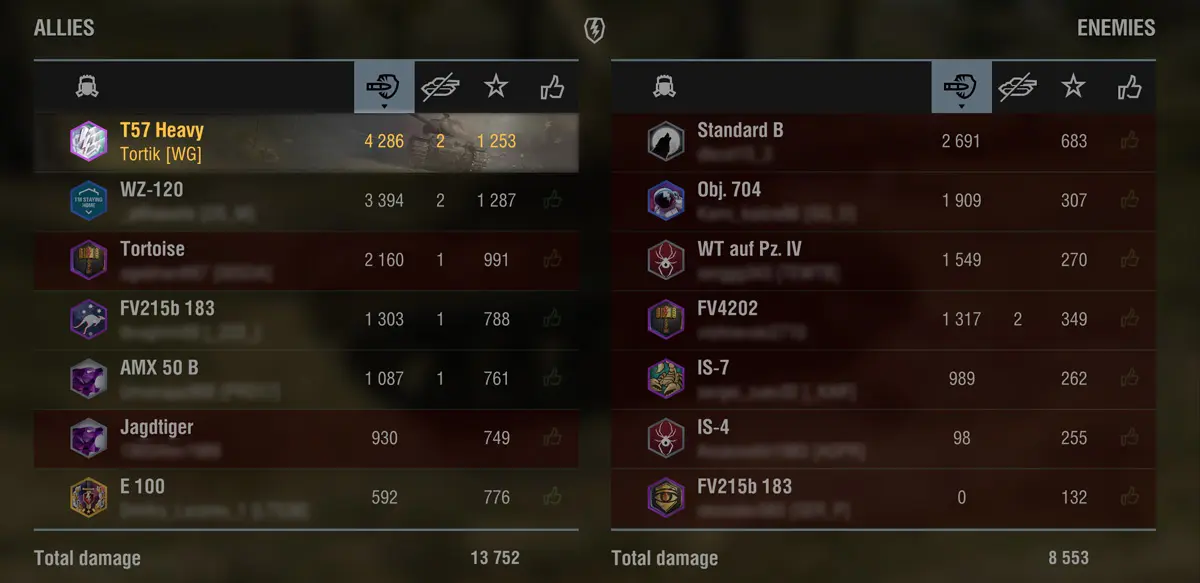
Even when the Operation is over, the profile background will stay. The victorious Thunder with a proudly waving flag above will decorate your statistics screen and perfectly complement your impressive collection of medals. The same picture will appear in the background of your nickname in battle results. Let enemies know who beat them!
Resource Vaults!
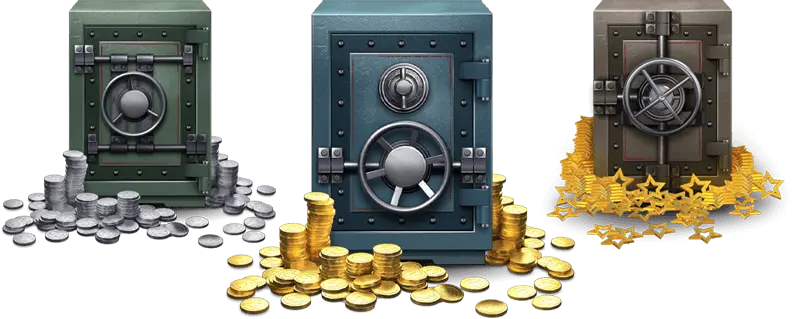
They accumulate credits and Free XP as you play! Premium Pass gives you access to the Gold Vault, which starts off with 500 and has an overall capacity of 2,500.
Rare Camouflage and Avatars
Also, Operation Onslaught can provide you with up to 4 types of camouflage for 19 vehicles in total!
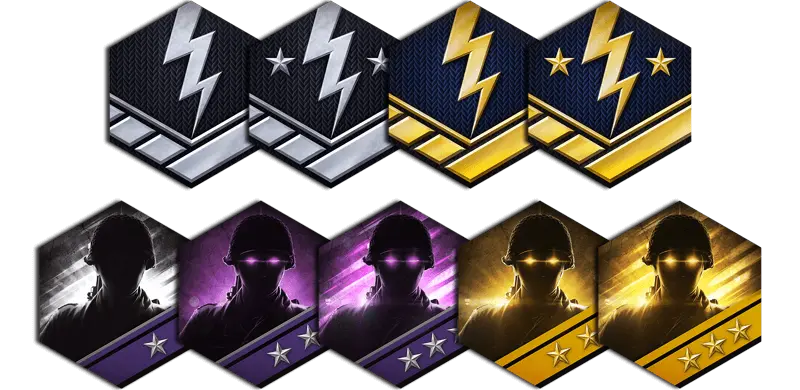
The regular Pass reward progression includes the Victory Chevron accumulative avatar. And the Premium Pass progression offers the Spec Ops accumulative avatar.
FAQ
When does Operation Onslaught take place?
- CIS: from May 1, 8:00 (MSK) to May 29, 8:00 (MSK)
- Europe: from May 1, 14:00 (CEST) to May 29, 14:00 (CEST)
- North America: from May 1, 6:00 (PT) / 9:00 (ET) to May 29, 6:00 (PT) / 9:00 (ET)
- Asia: from May 1, 14:00 (UTC+8) to May 29, 14:00 (UTC+8)
Once the Operation ends,  Stamps will no longer be added. However, Premium Pass owners will be able to increase their level for three more days. For these three days, Premium Pass will be available in the Store. Remember that its purchase grants you additional rewards for all the levels you've completed. The Operation Onslaught screen will be disabled on June 1.
How to get rewards?
Operation Onslaught includes two reward progressions, each of which is divided into 40 levels. The upper (silver) progression is available to all players, while the lower (gold) progression can only be accessed by Premium Pass owners.
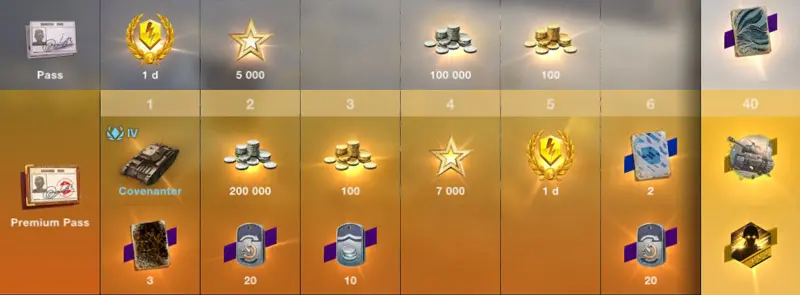
Increase the level of your  Pass to get rewards. To do so, complete missions and earn Stamps:
10 Stamps = 1 level
Although the level increases automatically, you need to collect the rewards manually.
You can earn a total of 15 Stamps each day. Premium Pass owners get access to an additional mission that provides another 5 Stamps. With Premium Pass, you can earn 20 Stamps a day and unlock 2 levels with rewards. Also, Premium Pass lets you instantly increase your level using gold.
What benefits does Premium Pass provide and where can one get it?
- An opportunity to earn all the rewards of Operation Onslaught.
- An additional Daily Mission that will earn you 5 Stamps so that you can increase the Pass level and get rewards faster.
- The ability to fill the Gold Vault as well as increase the capacity of the Gold, Free XP, and Credit Vaults.
- The ability to increase the Pass level in exchange for gold.
What are Vaults and how to open them?
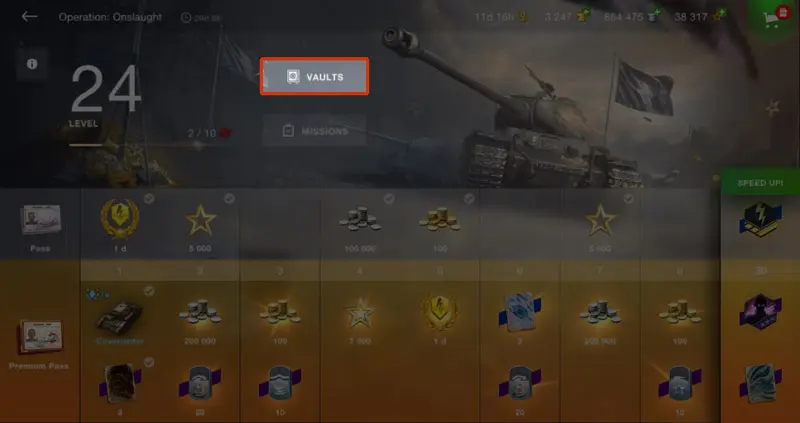
After hitting the Vaults button on the Operation screen, you'll see three Vaults, each with gold, credits, or Free XP. While the Credit Vault and Free XP Vault are available to all players, the Gold Vault can only be accessed by Premium Pass owners.
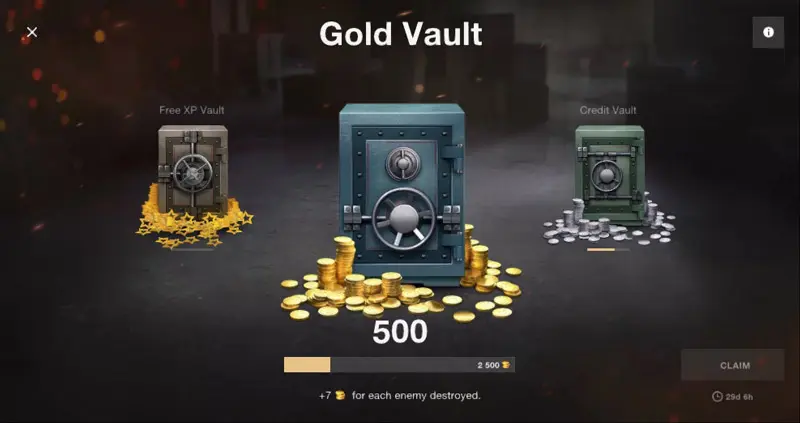
As you play, the Vaults are filled with resources. The Credit Vault is filled with the exact amount of credits you earn in battle. For every 10 you earn, 1 is added to the Free XP Vault. Each vehicle destroyed will add 7 to your Gold Vault.
Once a Vault is completely filled, it no longer accumulates resources. To increase a Vault's capacity, you need to collect Vault Upgrades from the gold reward progression. The capacity of each Vault can be increased three times.
What are the characteristics of the Covenanter and the Thunder?
How can the profile background be changed?
Open Storage in the Certificates tab. Find and choose the Onslaught Profile Background item. Tap SET in the menu on the right. To disable the profile background, tap REMOVE in the same menu.