Replays in Update 4.10
In the new version, World of Tanks Blitz will be able to record and play videos of your battles in the test mode. Watch the coolest battles over and over again, analyze the mistakes of unsuccessful battles, and share your victories in a new way!
Replays are recorded videos of your battles. The game saves the battle "scenario" in its technical view: what vehicles and where they were heading, how and with what shells they fired, and so on. While watching a replay, the game reads this scenario and knows what and when things must be shown. The whole replay is created by game resources and the replay file is no more than 3 MB large.
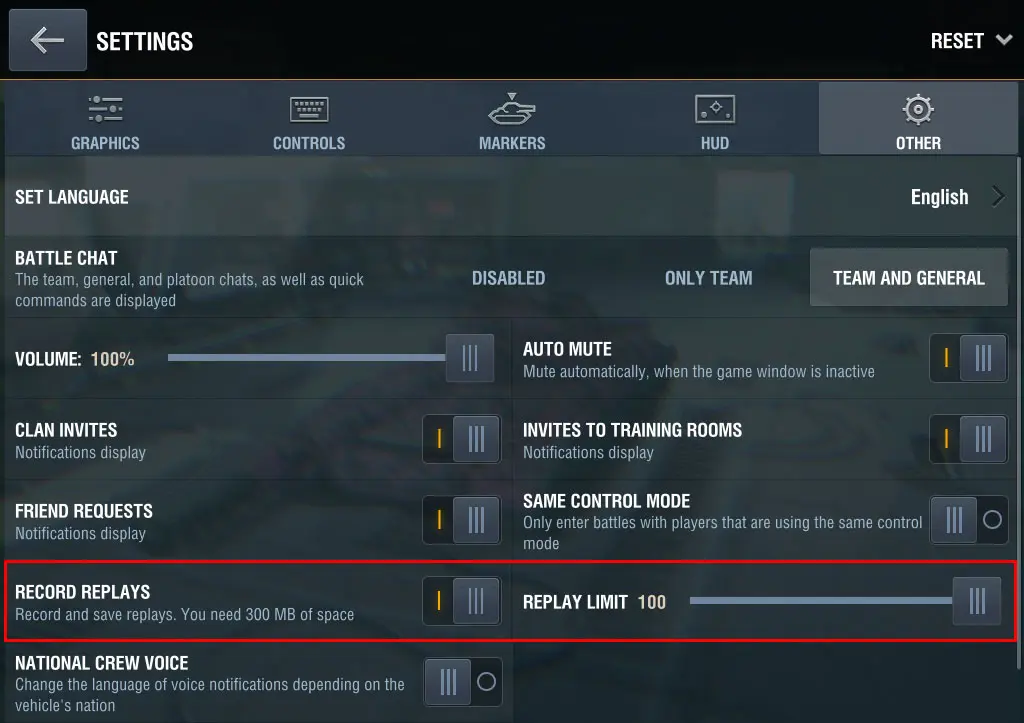
By default, replay recording is disabled. You can enable this option in the Other tab.
A replay is proof
It takes a lot of time to explain anything in words. It's difficult to make timely screenshots and to always record videos. With a replay, you’ve got cast-iron proof of everything.
Watch your battles
Where did that HE shell come from? How did you snapshot an enemy vehicle? What happened to the five allies on the other flank? Now all mysteries can be explained!
Share your best battles
Earned the Ace Tanker badge, Raseiniai Heroes’ Medal, and rammed the Maus head-on in your Bat.-Chât? Share the replay file with other tankers—make them green with envy!
Help make the game better
Noticed an error in a battle? Tell us about it and attach your replay: this will speed up a solution for the problem. In addition, you can read battle chat in the replays.
Where can I watch replays?
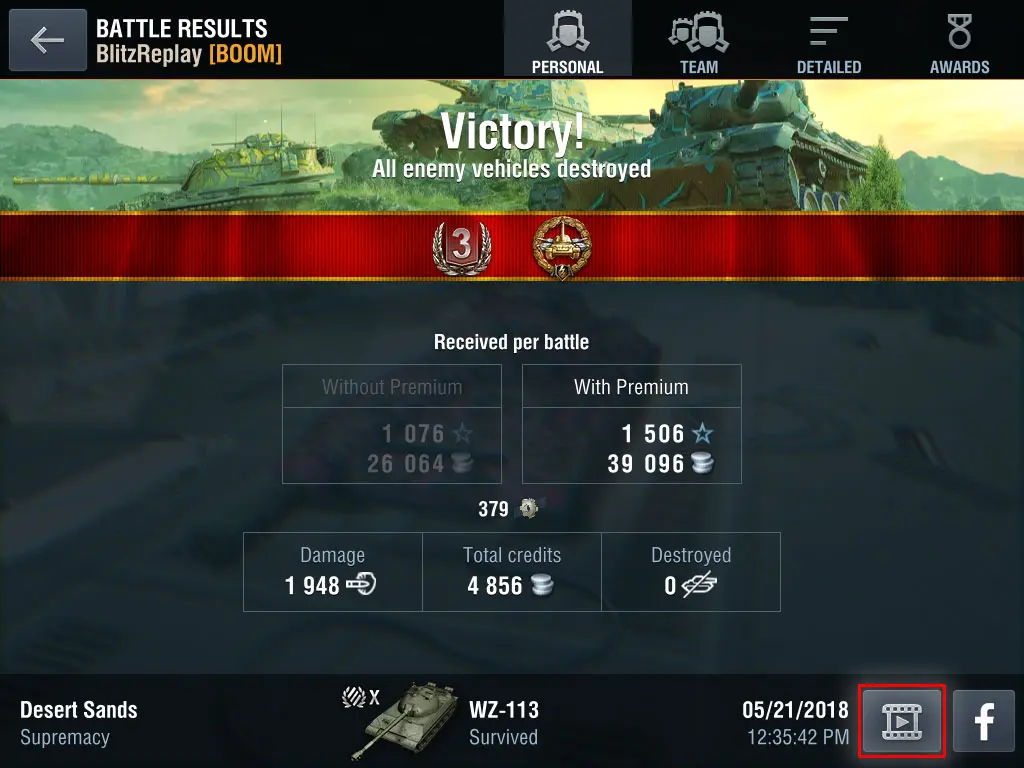
You can watch them right after the battle. Just tap the button on the results screen.
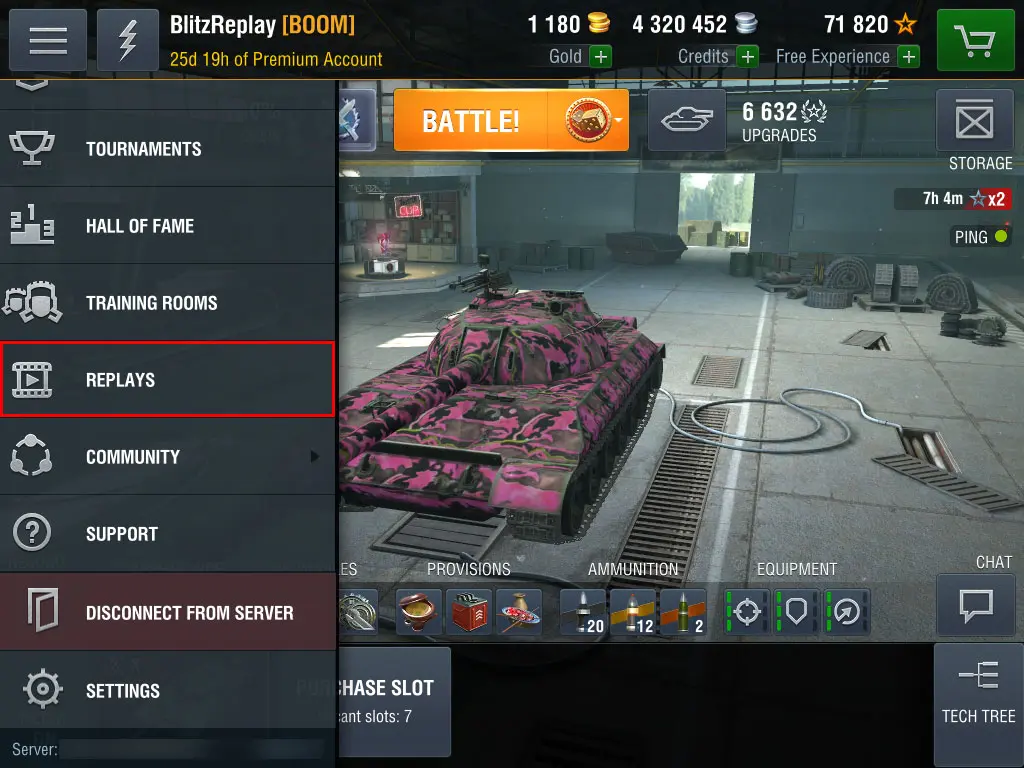
To go to all recorded replays, tap the Replays button in the game side menu.
There are three tabs on this screen.
- Recent—all your replays are displayed here in chronological order. The game saves from 1 to 100 replays. When the upper limit is reached, it will gradually delete the old records. To keep an important replay, tap the asterisk, and the replay will be moved to the Favorites tab.
- Favorites—these replays are not accounted in the save limit and won’t be deleted without your knowledge until the release of the next game update.
- Loaded—the replays you’ve received from other players will be displayed here. To see a replay in the Loaded tab, you need to open and watch the downloaded file first.
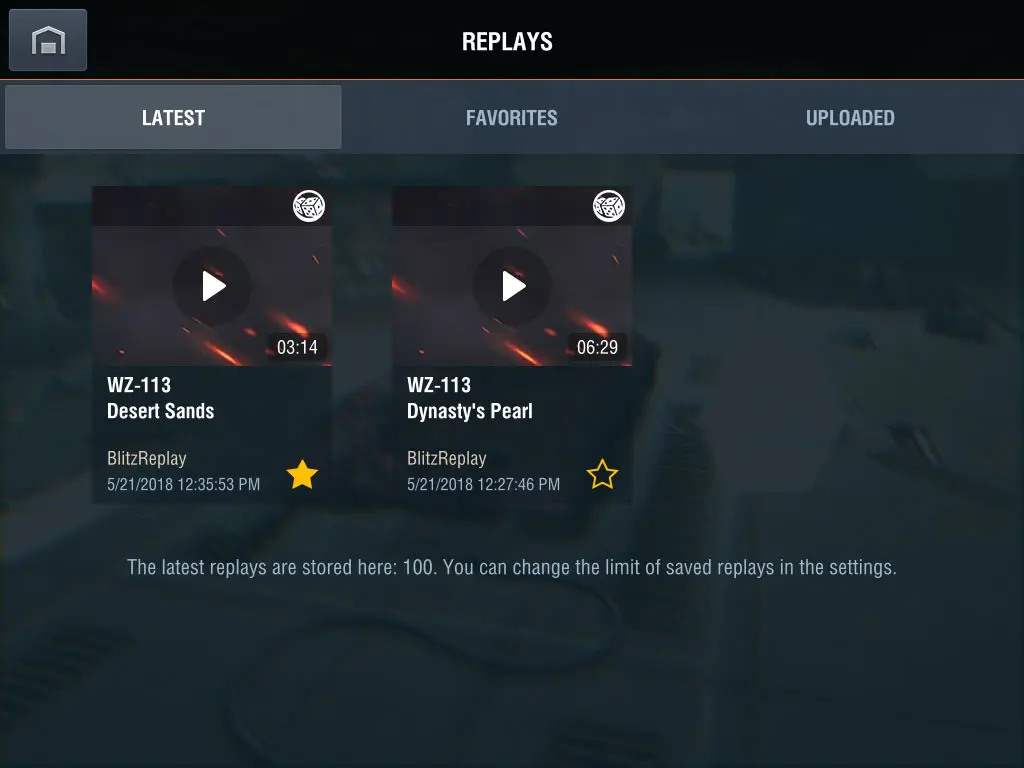
To watch a battle, tap the playback icon ▶ on the replay card. Playback controls are no different from a simple video player. In the menu to the right, you can switch off the battle interface, go to Settings, or exit the view mode.
Share your replay and watch other players’ replays
Select the replays you want to share: tap the replay card in any area except the playback and favorite buttons. Buttons for sending and deleting replays will appear at the bottom of the screen.
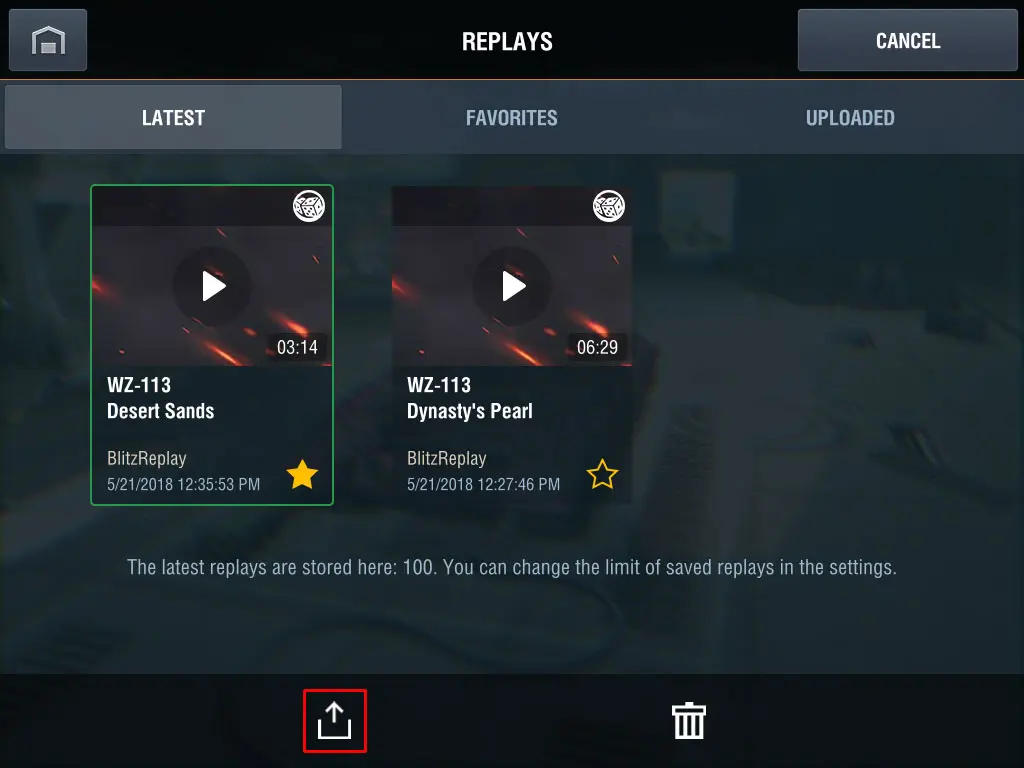
On mobile devices, you can share the replay files in any convenient way: upload them to the cloud or send them directly via a messenger. On Windows, Mac OS X, and Android, replays can be saved in the file system.
If you have downloaded another player’s replay or moved your replay to another device, just open the file, and the operating system will automatically launch the game and start the replay, even if your device is not connected to the Internet.
The game doesn’t see exported and downloaded replays and doesn’t affect them in any way. If you have downloaded or saved your replays in the file system, and you need to free up space, please delete these files by yourself.
Settings and limits
In the Other tab in the game settings, you can do the following:
Set the replay limit
The game will record replays from 1 to 100 recently played battles. The higher the limit is, the more disk space the game will take. Not enough space? Let at least one battle be recorded: trust us, there will certainly be a battle you’ll want to watch again!
Enable/disable replay recording
By default, replay recording is disabled.
What else do I need to know about replays?
Test mode
The first version of replays is a test version. Replay recording and playback may be unstable. On Android devices, issues with sending and saving replays to the file system may occur. On weak devices, where the game takes a long time to load battles, replays may be recorded with errors.
Compatibility
A replay is not a video clip but a technical file with the battle “scenario.” A file like this can be viewed on any device with World of Tanks Blitz installed. However, the game versions should be the same. If the replay was recorded in version 4.10, you’ll only be able to watch it in version 4.10. It’s possible that a replay converter for the latest game version will appear in the future.
When updating, reinstalling, or deleting the game, the replays will be deleted.
If you want to save your favorite replays, export them to the device memory.
In the future, more features and improvements will be added to replays. The foundation has been laid—battle recording works, so all that is left to do is create content worth rewatching. And that’s down to you—fight in style, save your battles, watch them, and share them with your friends. Battle!