Update: Japanese Heavy Tanks
New Branch of Japanese Heavy Tanks
Welcome new Japanese superheavies, with the XType 5 Heavy Zetsu at the top! Well-armored and hard-hitting, they act as tough dreadnoughts, built to hold the frontline.
All tanks in this branch feature excellent armor, especially across the turret front. And if an opponent does manage to get a shot through, their large HP pools let them absorb a fair amount of damage. These giants can also hit back hard, dishing out heavy blows to anyone who dares get too close.
But that power comes at a price. The new superheavies have low mobility, so choosing the right flank from the start is vital: changing it later may simply take too much time. Their large size also calls for careful use of cover. To survive longer, avoid open spaces and use terrain and buildings to keep your hull protected.
Characteristics of the branch's top vehicle—the Type 5 Heavy Zetsu

Hold the front and lead your team to victory!
 Tank Branch License
After the update, you can use your Tank Branch License (previously called Set License) to unlock any researchable branch, from Tier I all the way to the Tier X! All vehicles along your selected path will be instantly unlocked and fully researched, without spending any of your Credits or XP.
Don't want to use it yet? No problem, a License has no expiration date. Just save it until the right time comes.
How do I activate a License?
- Choose the nation you want on the Tech Tree screen
- Press the "Use License" button
- Select your path in each intersection until you reach the end of a branch
- Confirm your selection
Equalizer Game Mode
Similar to Total Domination mode, Equalizer brings tanks of all tiers together on the same battlefield, with lower-tier tanks getting more HP and firepower. The lower the tier, the bigger the boost! Just pick your favorite tank and take on enemies of any tier in familiar Supremacy and Encounter battles.
The mode will be available from September 11 through 18.
Observation Device Changes
If your observation device is damaged during battle, your viewing distance will now decrease depending on its condition. Critical (yellow) damage reduces it by 50%, while destruction (red damage) reduces it to 30%. This makes the module damage system more consistent.
Improved Interface
Track Repair Time
Track repair time is now displayed on the Upgrades and Equipment screens, with values reflecting the currently installed equipment and selected provisions.
Normalization
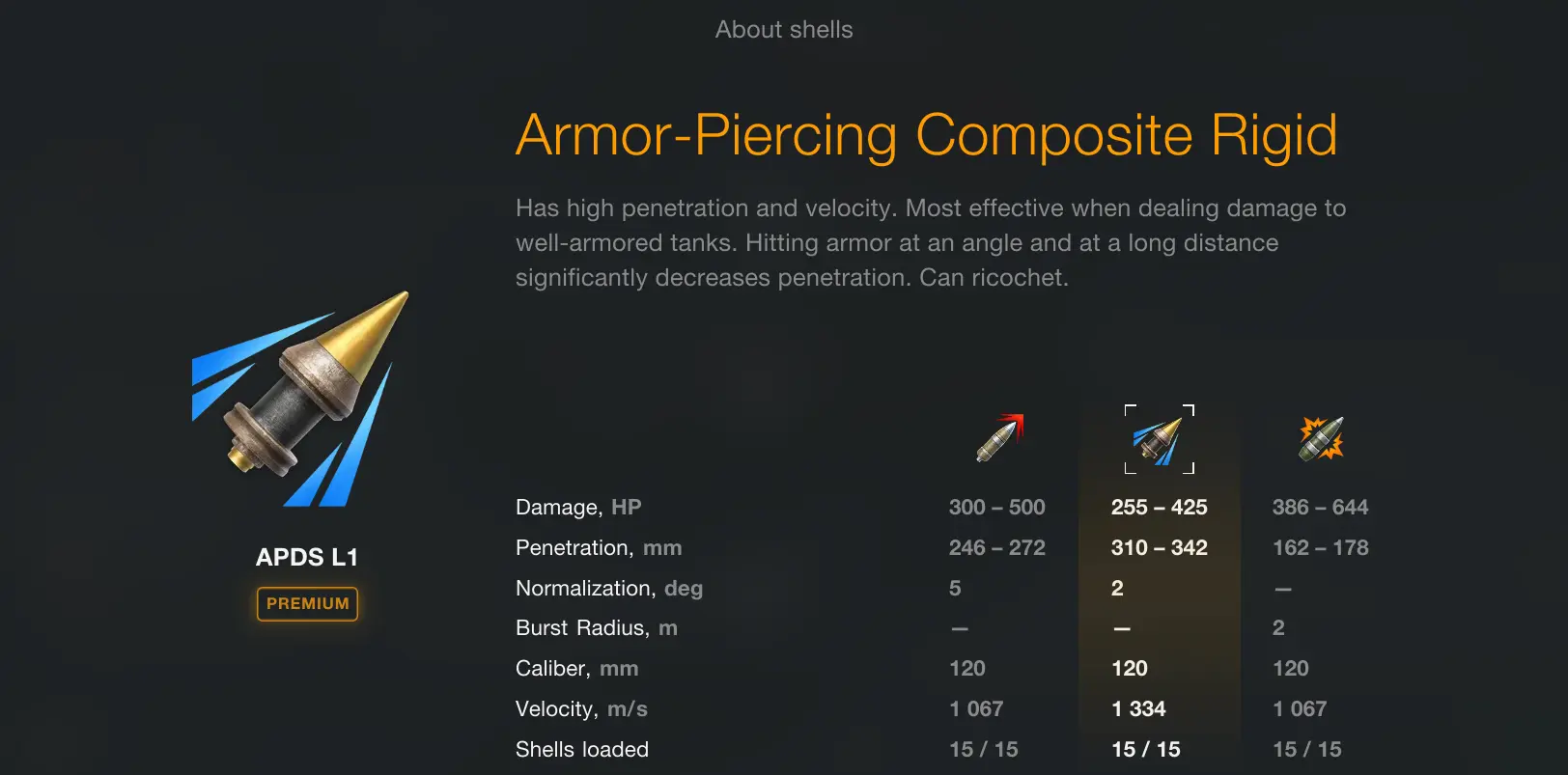
The Ammunition screen shows the new Normalization parameter. It indicates the number of degrees by which shells turn towards a perpendicular angle to the armor surface, thereby increasing their chance of penetrating sloped armor.
Simply put, the higher the number, the better the shell handles angled armor.
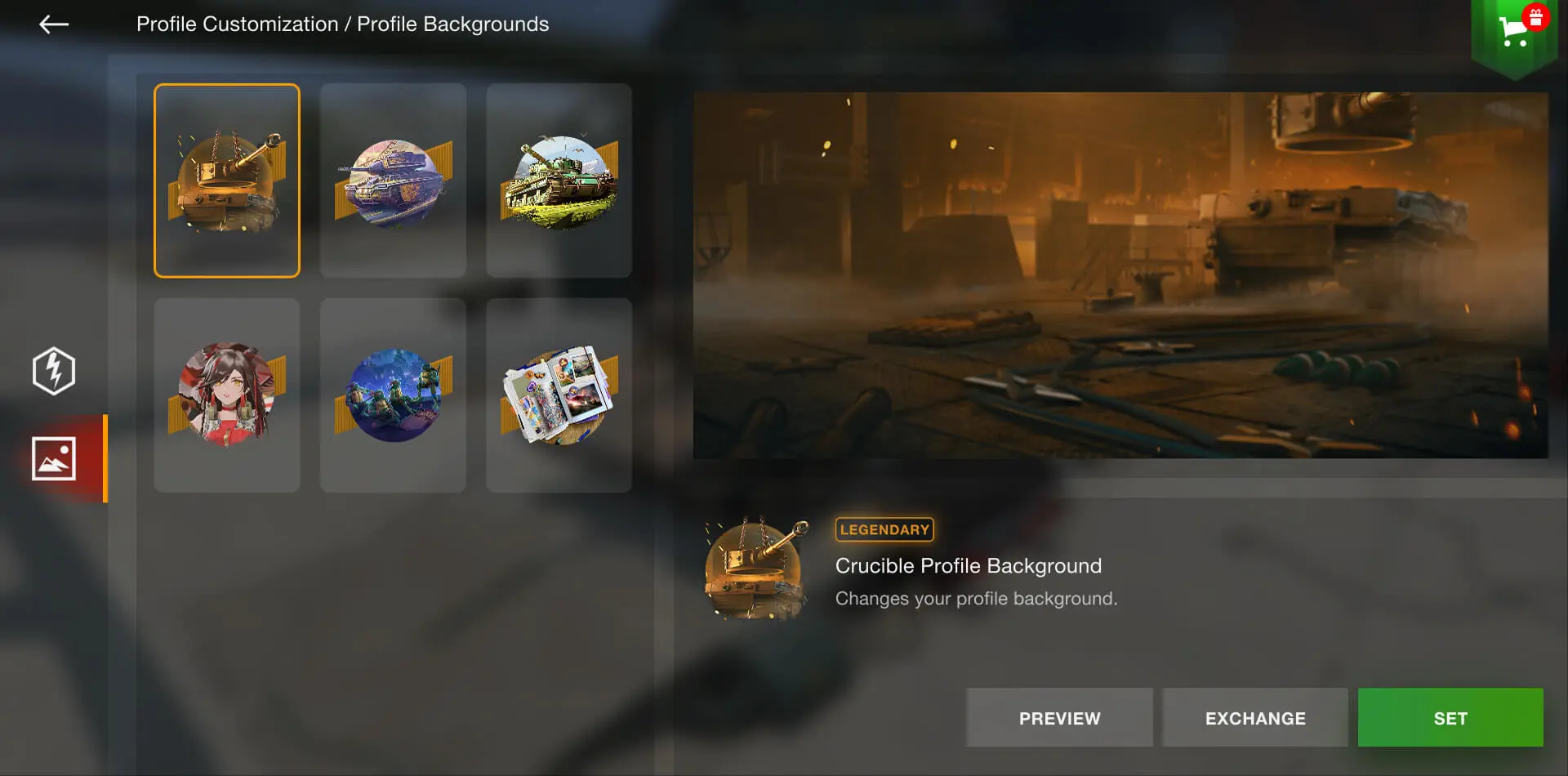
Updated Profile Screen
Browse your avatars, preview profile backgrounds, and install the ones you like all in one place. To get started, press the "Customize profile" button under your username.
Updated Camo Screen
For convenience, the camo selection has been moved to the right side of the screen. Starting with this version, you can also apply one camouflage to all maps in a single step—just use the dedicated button.
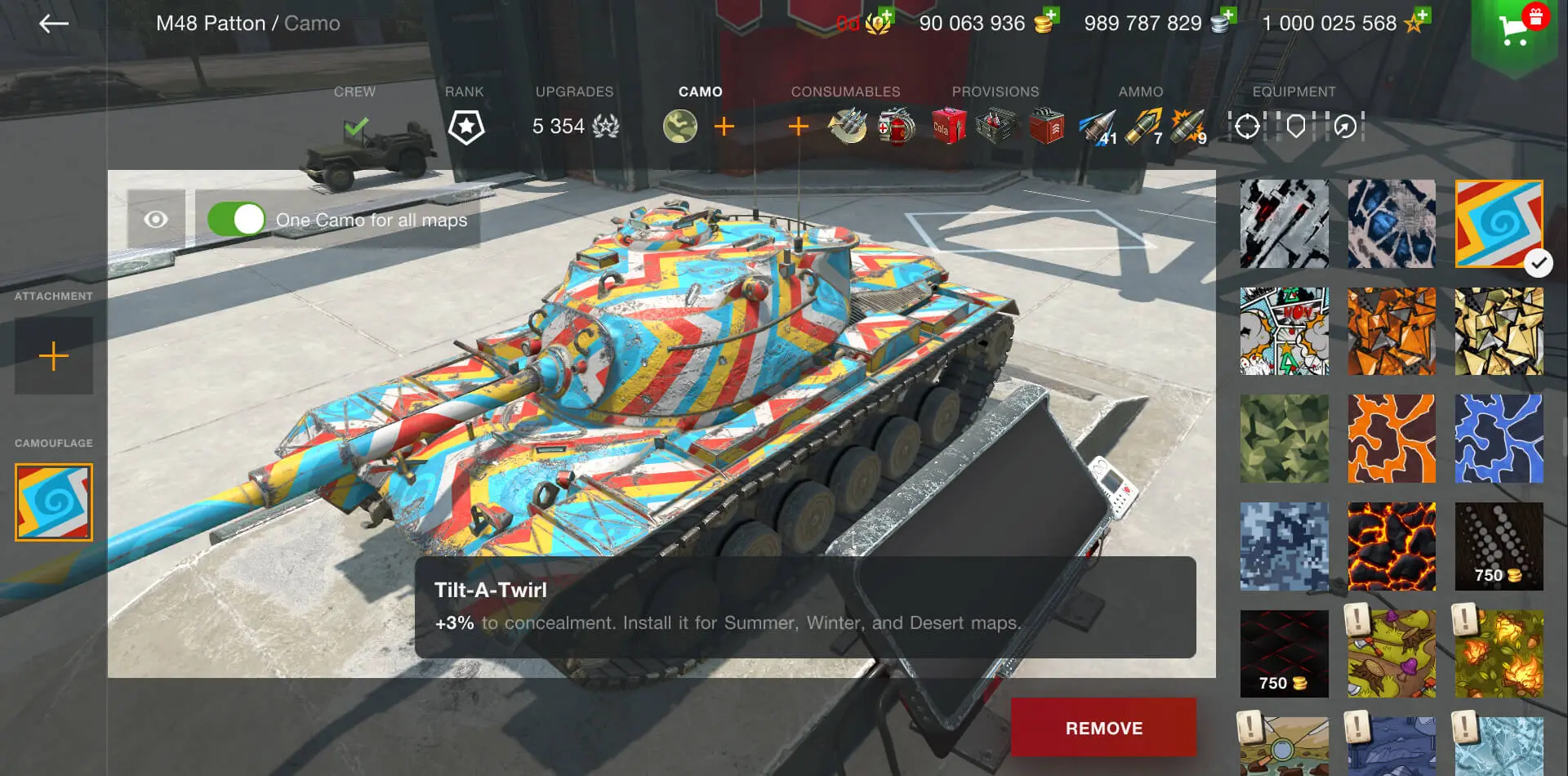
Camouflage
The camo selection menu has been updated with:
- Zetsugo for the XType 5 Heavy Zetsu
- Yaiba for the IXType 4 Heavy
- Harite for the VIIIO-Ho
Improvements and Bug Fixes
- Various screens, descriptions, and notifications have been improved.
- General bugs and client crash issues have been fixed.